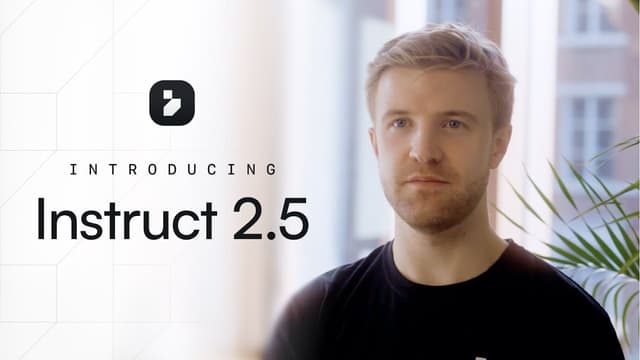
I'm a visual learner. Give me a quick video with some motion and I'll remember it a week later. But here's the problem: most content out there isn't made for me. It's too long, too dry, or just... not what I care about.
So I built something with Instruct that changes that. An agent that researches topics I'm actually interested in, pulls fresh data, and turns it all into short, punchy videos with animations and transitions. No editing. No templates. Just content that fits how my brain works.
Why this format works
It's made for me: I tell the agent what I care about and how I like things presented (fun, visual, no jargon). It delivers exactly that.
I actually watch it: A 90-second video with good visuals beats a 10-minute article. I retain more and enjoy it more.
Zero effort after setup: Once it's running, videos just show up. Morning coffee + fresh video on topics I love = perfect combo.
What you can build
Your personal news show: Imagine waking up to a quick, visual recap of what happened overnight in the areas you follow. Sports, markets, tech drama, whatever. Delivered in a format that doesn't feel like homework.
Learn stuff the fun way: Want to understand a new topic? Instead of reading dry explainers, have Instruct research it and create a visual breakdown that's actually engaging. Think "YouTube video" energy, minus the 30-second ad.
Auto-updating presentations: Need to share weekly updates with your team or clients? Let the agent pull the numbers and build a visual summary. No more Sunday night slide decks.
React to things in real-time: Hook it up to Slack, Gmail, or other tools. When something happens (breaking news, a competitor move, a project update), Instruct spins up a video automatically.
See it in action
Here's one: every Monday, Instruct generates an NHL recap video. It grabs scores, top plays, standings, and storylines from the week, then packages it into something you actually want to watch with your morning coffee.
How to build it
Connect your stuff: In the "Integrations" page, link up whatever sources you need or just ask to search in web. News feeds, Slack, Gmail, spreadsheets, you name it.
Describe what you want: Open a new Instruct task and just explain it like you're talking to a friend. Here's my NHL prompt:
Every Monday at 7am, research all NHL games from the past week. Gather final scores, top scorers, key saves, and any notable storylines (injuries, streaks, upsets).
Generate a 2-minute video summarizing the week in hockey. Include:
- Current standings for each division
- Top 3 performances of the week with player stats
- Upcoming marquee matchups to watch
Use dynamic transitions between sections and add relevant team logos and graphics. Keep the tone energetic but informative—like a sports desk morning segment.
Send the finished video to my Slack channel #nhl-updates.Make it yours: This is the fun part. Tell Instruct how you like to consume content. More humor? Ask for it. Cleaner visuals? Say so. Hate jargon? Mention it. The more specific you are about your style, the better it gets.
Pick your trigger: Run it on a schedule (every morning, every Monday, after game days) or trigger it from an event like a Slack message or email.
Tweak until it's perfect: Watch a test video. If something feels off, just tell Instruct in plain English. "Make it shorter." "More stats, less commentary." "Add some humor." It adapts.
Make it your own
The whole point is that this is your content, built your way. Morning market updates that skip the boring stuff. Weekly project recaps that your team will actually watch. Deep dives on topics you're curious about, presented in a style that keeps you engaged.
Stop forcing yourself to consume content that wasn't designed for you. Build your own.
Build videos that deliver exactly what you need, when you need it, with Instruct.
Date
February 3, 2026Written by
Romie KosShare on